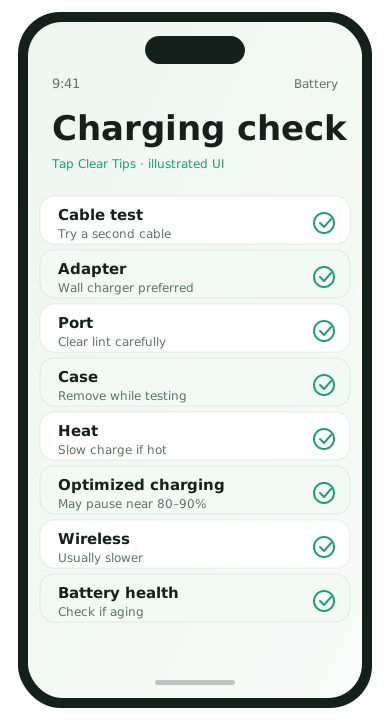
1. Inspect cable and adapter
- Try a different cable you trust
- Try a different wall adapter
- Avoid random unpowered USB ports on old desktops for “fast” charging
2. Clean the port carefully
Lint in USB-C or Lightning ports stops full contact. With the phone off, use a dry wooden/plastic toothpick gently—not metal diggers.
3. Remove thick cases while testing
Some cases block connectors or trap heat, which slows charging on purpose as the phone protects itself.
4. Check temperature and usage
Playing games while fast charging creates heat and throttling. Test charging while idle face-up on a hard surface.
5. Software restart and updates
- Reboot the phone.
- Update system software.
- On iPhone, check whether an outdated accessory warning appears.
6. Confirm what “fast charge” needs
Many phones need a charger that supports their fast-charge standard. A tiny old adapter can charge overnight and still look “broken” at noon.
7. Battery health reality check
Aging batteries can charge oddly and drain fast even with good cables. Check battery health indicators where available and plan service if capacity is very low.
Understand charge stages
Many phones charge quickly from a low percentage and then slow down near full to protect the battery. A jump from 10% to 50% can look “fast” while 80% to 100% looks “broken” even when hardware is fine. Test from a low charge while idle for a fair comparison.
Wireless vs cable
Wireless charging is convenient and usually warmer and slower than a good cable. If speed matters before you leave the house, use a known-good cable and adapter. Keep magnetic accessories aligned; misalignment increases heat and reduces speed.
When hardware service is likely
- The port is loose and cables fall out
- Only one specific orientation charges
- The phone reports moisture when dry
- Battery health is very low and runtime collapsed
Computer USB ports vs wall chargers
Older laptop USB ports may provide only a trickle. For a fair speed test, use a wall outlet and an adapter that matches your phone’s supported standard. Then compare results before blaming the battery.
Software switches that affect charging behavior
- Battery protection / optimized charging modes that pause near 80–90%
- High temperature throttling after sun exposure
- Using the phone for navigation while plugged into a weak car adapter
Optimized charging is a feature, not a failure. If you need 100% before a flight, temporarily disable delay features according to your phone’s battery settings.
Charging FAQ
- Is overnight charging harmful with modern phones?
- Optimized charging features reduce stress. Use official or reputable chargers.
- Why does wireless charge slower?
- Energy transfer is less efficient and heat limits speed. Use cable when you need a quick top-up.
- Can a bad cable cause random disconnects?
- Yes. Frayed cables are a common cause of stop-start charging.
- When should I replace the battery?
- If health metrics are low and runtime collapsed even after software fixes, consider authorized service.