Short answer
For most people: yes, keep automatic updates on, preferably over Wi‑Fi and during night hours when available.
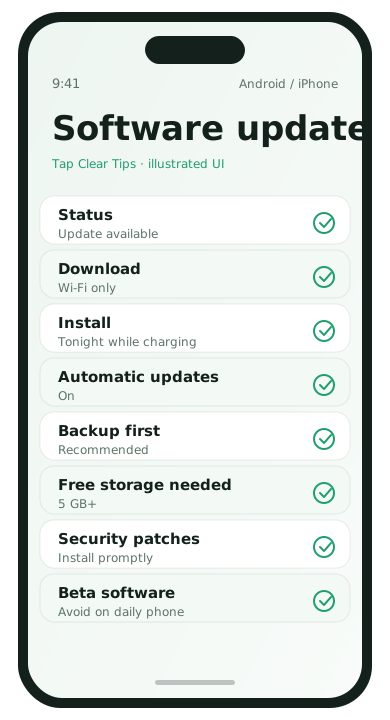
Why updates matter
- Security fixes for issues already being exploited
- Stability improvements for crashes and battery bugs
- Compatibility with banking and messaging apps
Android: recommended settings
- Settings → System → System update.
- Enable automatic download over Wi‑Fi when offered.
- Install promptly when the phone is charging overnight.
- Keep Play Store app updates on Wi‑Fi only.
iPhone: recommended settings
- Settings → General → Software Update → Automatic Updates.
- Enable Download iOS Updates and Install iOS Updates as you prefer.
- Ensure the phone charges at night so installs can finish.
When you might wait a few days
- Your phone is a work-critical device and you need colleagues to report a clean rollout
- You depend on a niche accessory that historically breaks on day-one releases
Even then, waiting forever is riskier than waiting a short, intentional window.
Before a major update
- Confirm a fresh backup
- Free some storage
- Stay on Wi‑Fi and power
Security updates vs feature updates
Some Android makers separate security patches from bigger yearly feature releases. Install security patches promptly. For large feature upgrades, skim the release notes on Wi‑Fi the evening they arrive, confirm you have a backup, then install overnight.
App updates deserve their own rule
Operating system updates and app-store updates are different. A reasonable setup:
- OS updates: automatic download on Wi‑Fi, install soon
- Apps: auto-update on Wi‑Fi only
- Huge games: manual updates when you have time and space
If an update seems to hurt battery
Wait 48 hours for indexing and background maintenance to settle. Then review battery usage. If one app misbehaves after an OS update, update or reinstall that app before rolling back anything drastic. Persistent problems after a week are worth checking the maker’s support forums for known issues.
Work phones and managed devices
If your company manages updates, follow IT policy first. Personal phones should still not linger months behind on security patches. When IT delays a feature release, that is different from skipping security updates indefinitely.
Updates FAQ
- Should I install beta software?
- Not on a phone you rely on daily for work or banking.
- What if storage blocks updates?
- Free space first using the storage guides, then retry.
- Do eSIMs affect updates?
- Not usually. Updates care more about battery, storage, and Wi‑Fi.
- Can I pause updates forever?
- Technically sometimes; practically unwise for security.