Classic warning signs
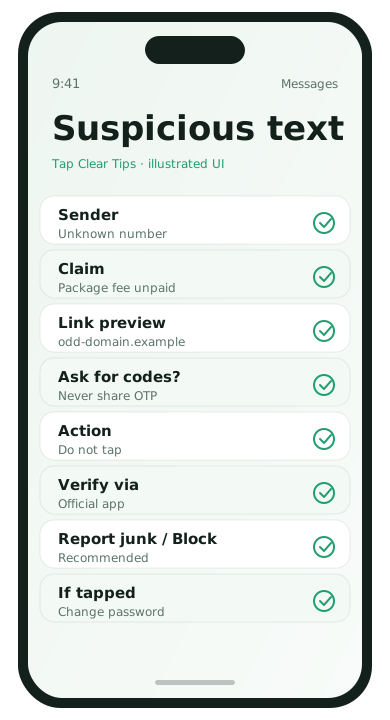
- Urgent threats: “account locked in 1 hour”
- Unexpected delivery or toll fees
- Links with misspelled domains
- Requests for passwords, one-time codes, or crypto payments
- Messages from “your bank” that do not use your normal channel
What to do instead of tapping
- Do not open the link from the message.
- Open the official app or type the official site yourself.
- Call the number on the back of your card or in the official app, not the number in the text.
- Delete the message after you verify it is fake.
Preview links carefully
On many phones you can long-press a link to preview the real URL. Look at the domain itself, not the bold marketing words in front of it.
One-time codes are keys
If someone calls or texts asking you to read a verification code, stop. Those codes are designed to prove that you are signing in—handing them over hands them your account.
Report and block
- Use Report Junk on iPhone Messages when available
- Block the sender on Android/iPhone
- Forward phishing to your carrier’s abuse address if your carrier documents one
If you already tapped
- Do not enter credentials on the page.
- Leave the site and run OS updates.
- Change passwords for the account from a known-good device/app.
- Turn on 2FA if it was missing.
- Watch banking accounts for strange charges.
Real-world examples of risky messages
- “Your package fee is unpaid” with a link that is not your carrier or courier’s real domain
- “Bank fraud detected” texts that ask you to confirm a password on a web form
- Message from a “colleague” on a new number asking you to buy gift cards
- Voicemail texts with a tiny URL to listen to a message
When in doubt, use a channel you already trust: the official app, a bookmark you typed yourself, or a phone number from the institution’s official site.
Protect family members
Teach one rule that sticks: never read a verification code to anyone who calls you. Offer to help relatives set official banking apps with notifications so fake SMS has less room to invent urgency.
After a close call
If you almost entered a password, change it anyway from the official app. Enable 2FA. Review account recovery email/phone fields so an attacker cannot reroute resets. Then delete the phishing message so you do not tap it later by mistake.
Email on phones deserves the same caution
Phishing is not only SMS. Mobile email clients hide full URLs. Long-press links, ignore urgency language, and navigate via bookmarks for finance sites. Turn on spam filtering and report phishing in Gmail/Outlook when the button exists.
Phishing FAQ
- Do banks ever ask for passwords by SMS?
- Real institutions do not need your password via a random text link.
- What about short links?
- Preview destinations carefully; type known sites manually when money is involved.
- Is caller ID spoofing real?
- Yes. Callback numbers in a text can be fake too—use official channels.
- Should I reply STOP?
- For marketing, yes. For obvious scams, blocking/reporting is enough; do not engage.